
FarPlay 1.3.2 is here, bringing a new Chat Banner and friendly invitation messages that make it easier to invite and welcome participants to your sessions — all thanks to your feedback. This version streamlines Preferences, improves support for Unicode characters, and incorporates our new logo. Upgrade for free here.
Version 1.3.2 also includes improvements to support for FarPlay Meet, our platform that lets you connect with the wider community of FarPlay users, free to all subscribers. For early access to Meet, sign up here.
Say hello to our new logo!
We’re grateful to Blaine Billingsley, a passionate jazz guitarist and FarPlayer who also happens to be a world-class designer, for creating our new logo. He had this to say about the design process: “We tried many options and I just kept coming back to this 16th note F-form. It’s all the things that FarPlay is: simple, fast, powerful, flowing, and fun! It says to me ‘Let’s play’.”

Check out Blaine’s latest solo guitar album, a fascinating exploration of his jazz and folk roots, here.
Chat Banner
This release introduces a new feature for subscribers: you can now customize your Persistent Room with a pinned banner message in the chat window — great for a welcome note and sharing links to pdfs, for example. Check out our instructions for customizing the Chat Banner here.
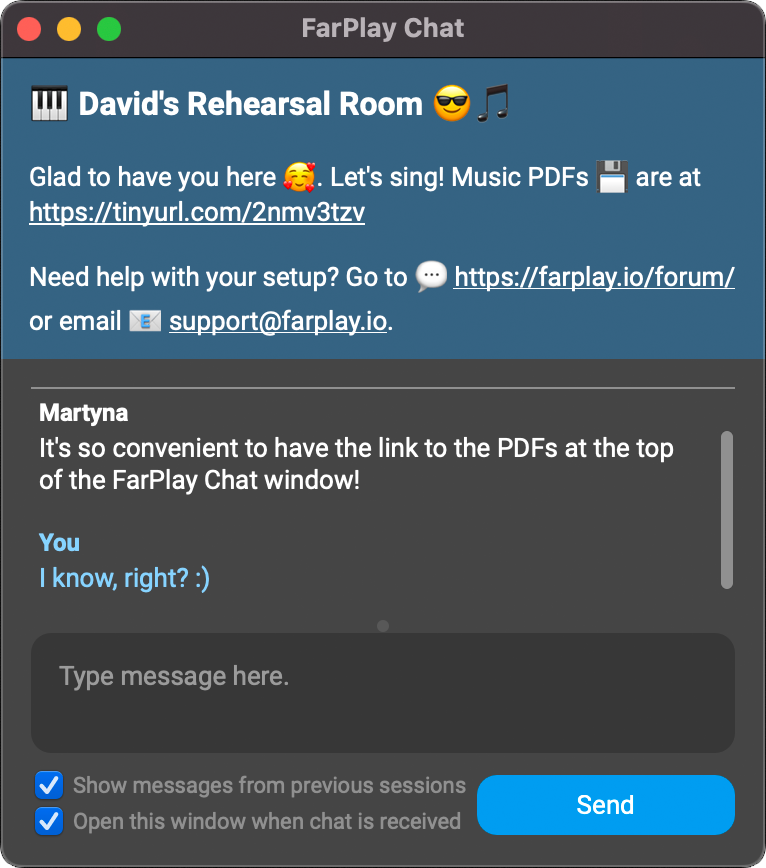
With a FarPlay for Teachers subscription, you can have up to ten Persistent Rooms. Thanks to the Chat Banner, each of these can now have its own dedicated identity. You might have one for your weekly jazz ensemble linking to lead sheets for example, and another for your students linking to a folder of exercises.
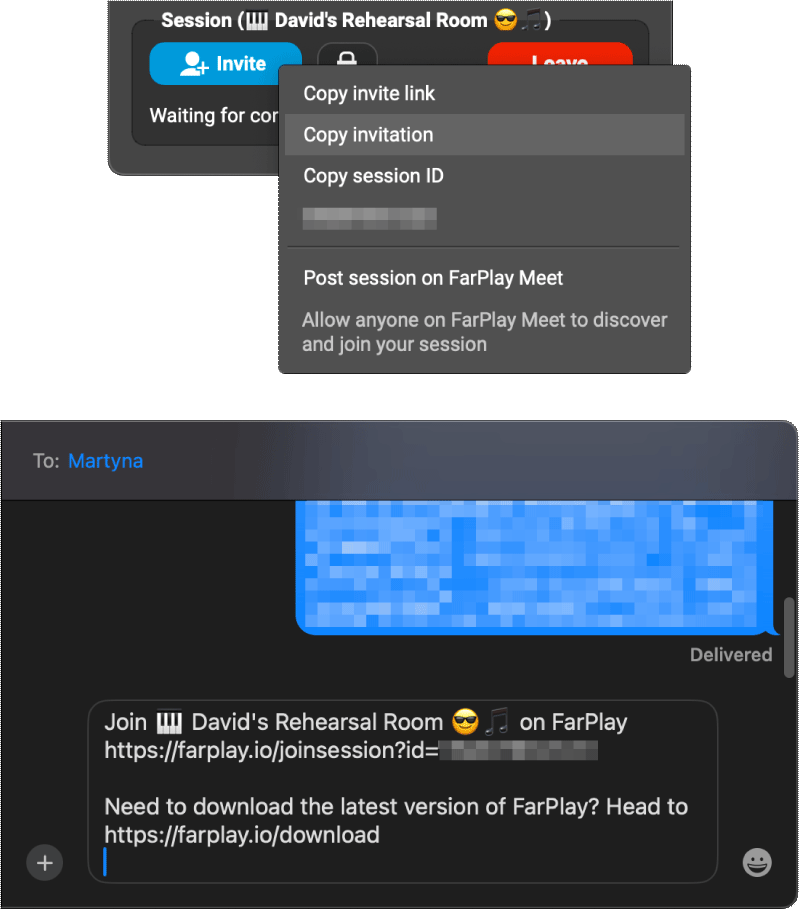
Send friendly invitations
Click the Invite button and then click Copy invitation to copy an easy-to-read message (for emails and text messages, for example) that includes your FarPlay session’s name and link.
Settings, simplified
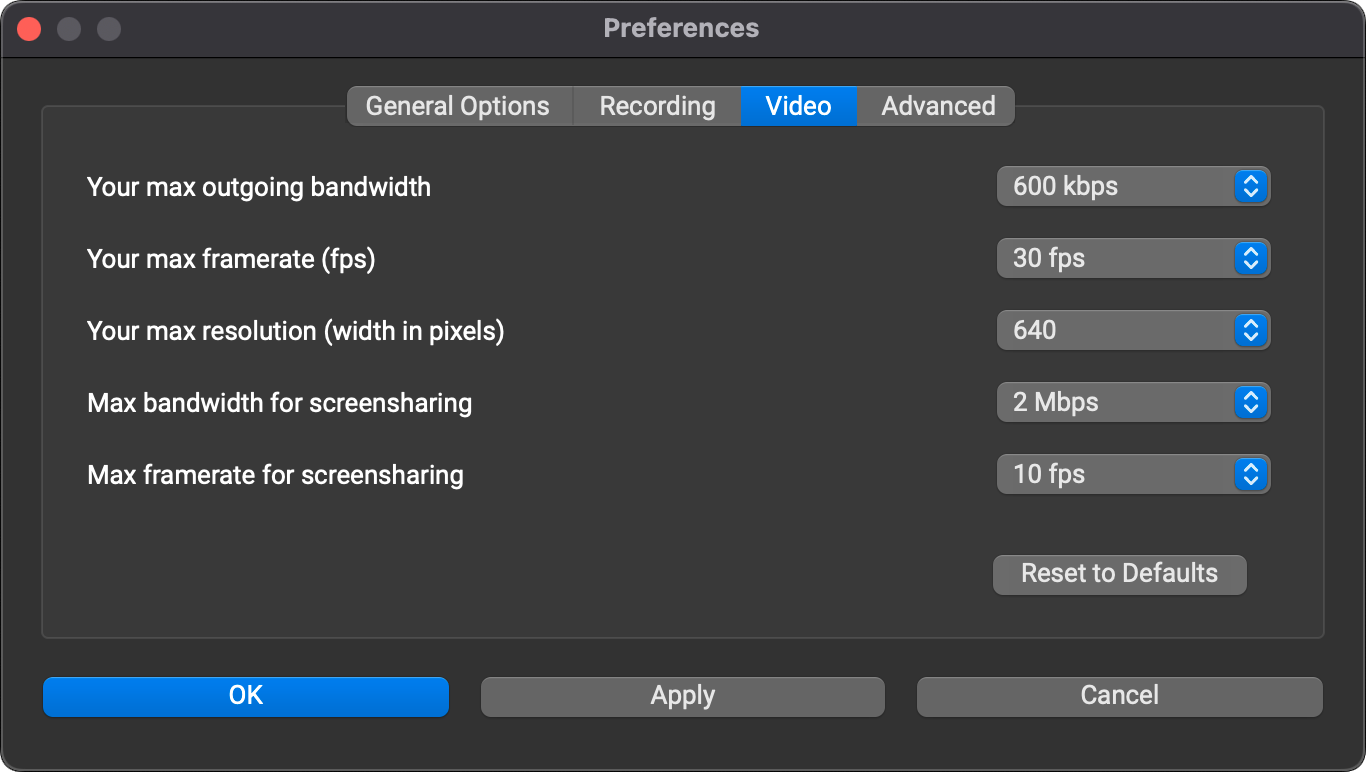
Version 1.3.2 brings a few updates to FarPlay Preferences. We’ve moved Video Preferences to their own tab in the main Preferences window. This means you can now change video settings before joining a video chat (or even a session).
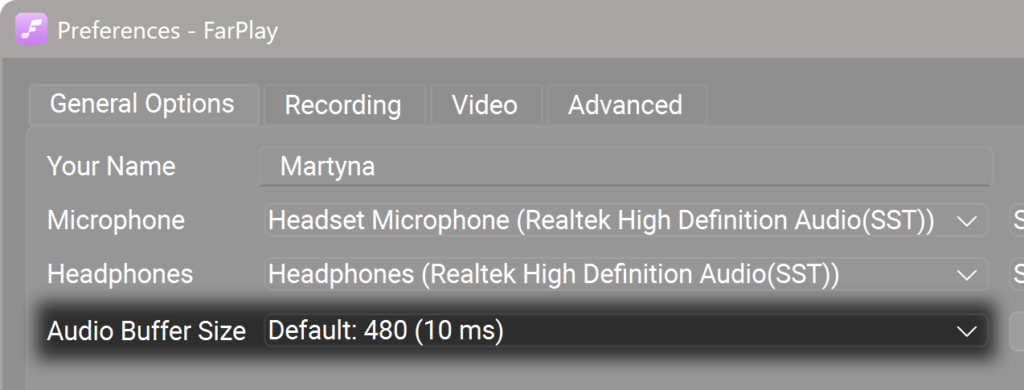
On Windows, we’ve updated the default audio buffer size for non-ASIO devices to 480. This is the most reliable setting for basic audio hardware on Windows and should work well with all devices. For lower latency, you can manually try smaller buffer sizes to check whether they’re supported by your audio hardware. If you’d like the lowest possible latency on Windows, use an external audio interface with ASIO drivers.
Improved handling of special characters
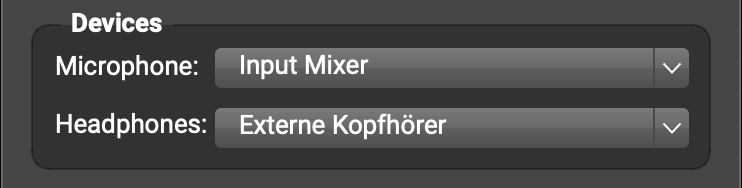
We’ve improved Unicode support on both Windows and Mac, which means non-English characters are now correctly handled in participant and audio-device names. This fixes a bug that prevented device selection in some cases.
Get in touch
We’ve been loving featuring our amazing users. If you’d like to be included — whether you use FarPlay for lessons, rehearsals, jam sessions, or conversations — we’d love to talk to you. You can let us know by emailing us at contact@farplay.io.
Need help right away? Check out our FAQ & Troubleshooting Guide, which you can open from the Help menu in the latest version of FarPlay.
If you’d like to ask tech-support questions, our forum is the fastest way to reach us. If you need to reach us privately, email us at support@farplay.io — we’re happy to help!
You can also get support at our monthly support sessions. Our next monthly support sessions are Saturday, April 18th 2:00pm New York time (8:00pm Central European time) and Saturday, May 23rd 2:00pm New York time (8:00pm Central European time). Sign up here. Monthly tech-support sessions are available free to paid subscribers.
We hope you enjoy FarPlay 1.3.2!
—David Liao & the FarPlay team