
We’re excited to share an improvement to our website, one we’ve been working on for a long time.
This Sunday, November 29th, between 4:00am and 6:00am New York time (between 10:00am and 12:00pm Central European time), we’re switching subscription management over to our new system. During that time, you won’t be able to start or make changes to subscriptions. Automatic renewals and expirations will continue as usual. The FarPlay app and service will continue to work. You’ll continue to be able to create and join sessions and use app features as usual. If you have questions, email us at support@farplay.io. We’re happy to help.
What you’ll find when we’re back
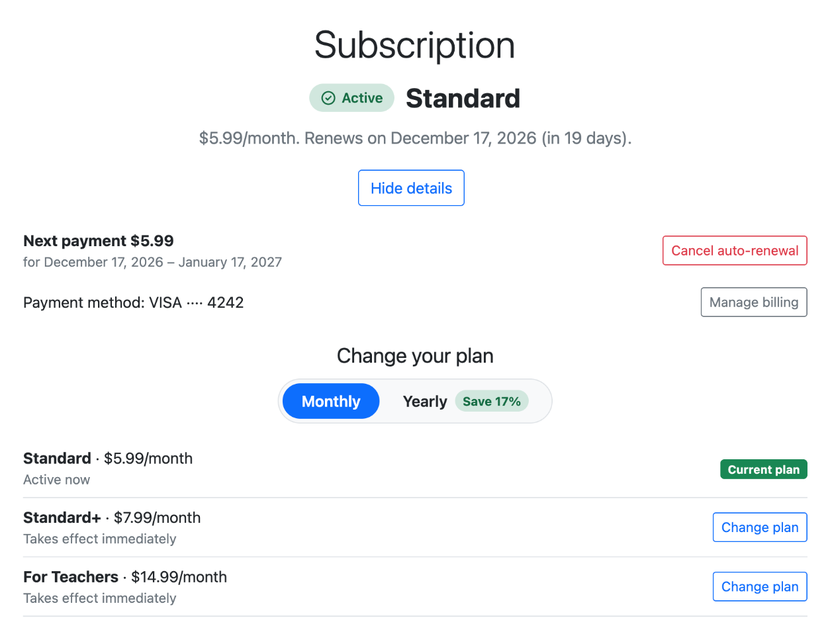
Once Sunday’s switch is done, the Subscription section of My Account will show you everything about a subscription: your plan, when it renews or ends, and what to do next, in plain language. You can change your plan or turn auto-renewal off and back on right there, so you’ll rarely need to go over to Stripe. If you don’t have a subscription yet (you’re on FarPlay’s basic Free plan), click Browse plans there to see the plans and subscribe.
Payments are still handled securely by our payment processor, Stripe. We never have access to your credit card.
You can also change plans yourself during a free trial, and your trial continues. Until now, a plan change during a free trial had to be handled manually by our team.
For step-by-step instructions, see our Account Management page, which will be updated during the maintenance.
—David Liao & the FarPlay team