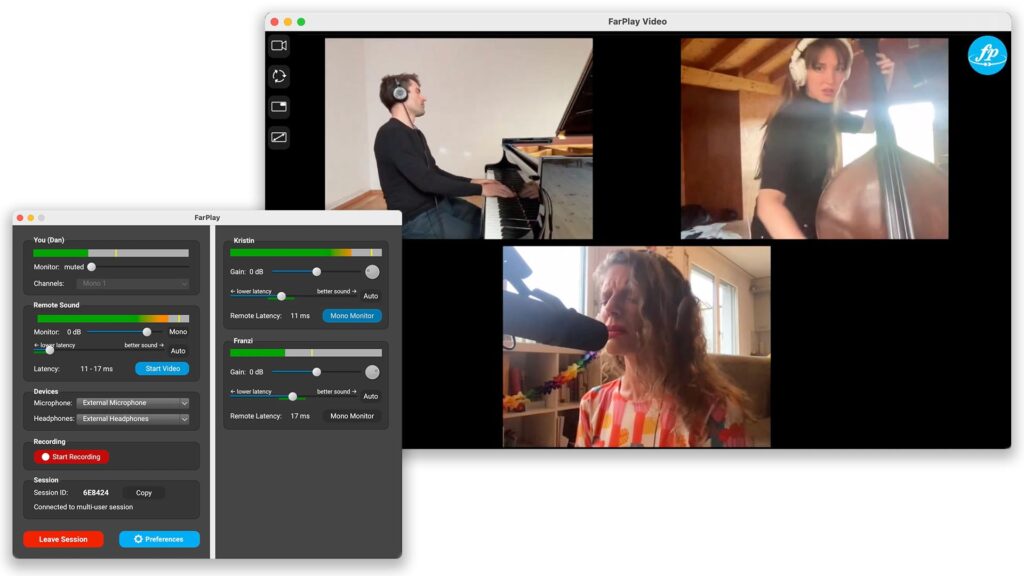

Introducing FarPlay Meet

Dear FarPlay Community,

When Anton and I set about creating FarPlay five years ago, it was out of a belief that a world in which it’s easier to make music with others is a better world. 

We’re incredibly proud of the reliable, user-friendly, powerful and fast application that FarPlay has become. I use it all the time, and am still shocked at what it can do. My recent Paris—New York session with Jacob Collier is a great example: if you’d told me six years ago that we’d be trading intricate metric modulations 3,500 miles apart, I wouldn’t have believed you.

But a question has been nagging at me this whole time. FarPlay dramatically extends your reach as a musician, but how do you find other people to play with? If you’ve been using FarPlay for a while, you know it can take some effort to get a new musician on board. Meanwhile, thousands of musicians are already using FarPlay — people who already know and love the platform. If I’m a jazz pianist looking for a great bassist to play with, how can I find one in the FarPlay community?

That question led us to create FarPlay Meet.

At first, I imagined something like my local tennis league, which pairs people based on skill level. But music isn’t tennis. It isn’t about winning or losing, and choosing a playing partner is deeply subjective. I might personally prefer to play with a drummer who has a great feel but less technique. That led to an important realization: FarPlay shouldn’t decide who would be a good playing partner for me. I should decide that for myself, based on how I feel when I hear someone play.

Today, we’re officially launching FarPlay Meet for all FarPlay subscribers.

On Meet, you can browse profiles of other musicians, filtered by style, instrument, and distance. Found someone you’d like to play with? Send them a connection request. Once they accept, use Meet’s chat feature to find a time to play. In a hurry to make music? Join one of Meet’s regular Open Sessions, which are open to all. You’ll find me popping into these too. 

Meet is included with every FarPlay subscription. You must be a subscriber to access it, and I think this is one of its best features: it helps ensure that Meet is a community of real people, committed like you to the joy of making music. 

Thanks to our beta testers, there are already dozens of profiles on Meet, and a lovely community is emerging. But the real power of Meet will come when there are not dozens, but thousands of people there. The larger the community becomes, the easier it’ll be to find the perfect people to play with. 

So the success of Meet depends on you. If the idea of a thriving community of like-minded musicians eager to make music together appeals to you, please head to meet.farplay.io now and create your profile. It only takes a few minutes. And if you’re a teacher, create a Teacher Profile as well so potential students can find you. 

Create your FarPlay Meet profile

The dream is to make FarPlay the best place in the world to forge new musical friendships. I hope you’ll join us in building it.

Looking forward to connecting with you soon,
Dan Tepfer, FarPlay co-founder
FarPlay 1.1 out today, featuring Session Chat & improved design

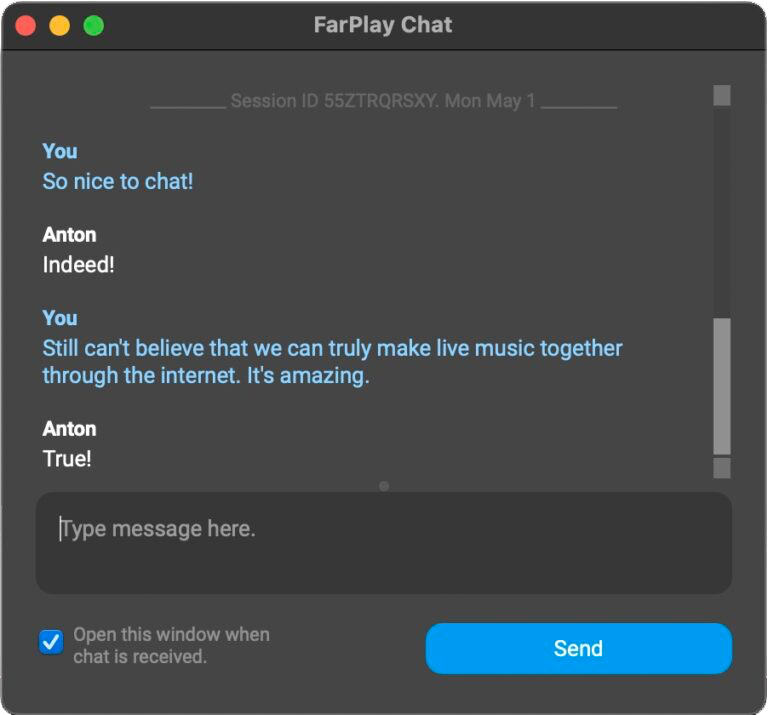
We’re proud to be releasing FarPlay 1.1, with an important new feature we’ve been wanting to add for a while: session chat.

Chat functionality is only available in sessions initiated by a subscribed user. Chat history, though, is always available for all users who participated in the chat. So, if you’re a teacher for example, and you have a subscription, and you teach a lesson to a student who doesn’t have a subscription, they will be able to chat with you during the session you initiated, and they will also be able to refer to the chat history even after the session is over. Chat history is saved locally on the user’s device.

Chat is useful during setup, particularly if a participant has not yet connected their audio; it’s also useful for behind-the-scenes communication during a live performance. To open the Chat window, click the 💬 Chat button in the main FarPlay window, or the 💬 icon in the Video window. By default, FarPlay opens the Chat window automatically when a new message is received, but this behavior can be disabled if preferred by unchecking the “Open this window when chat is received” checkbox.

Improved design

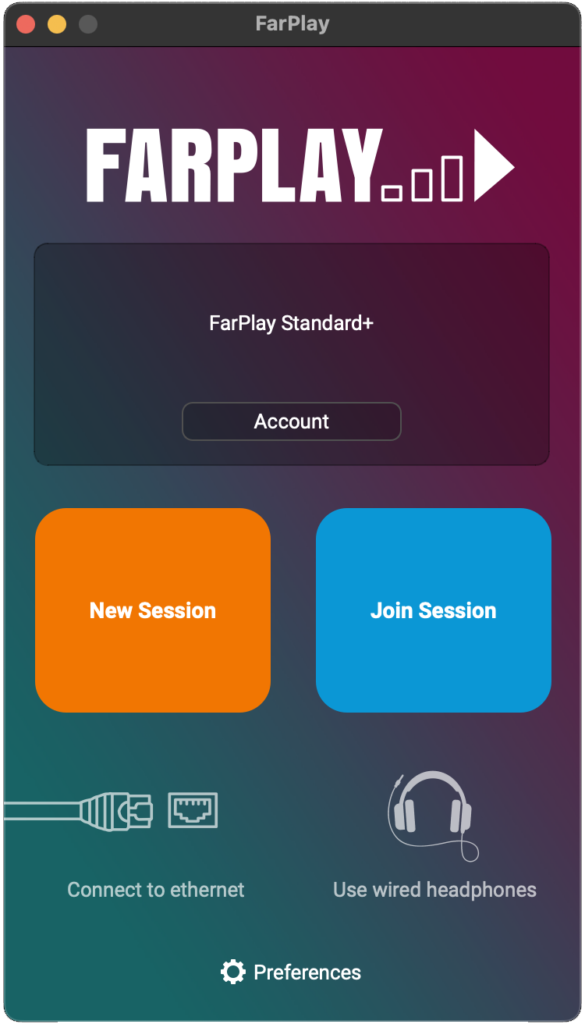
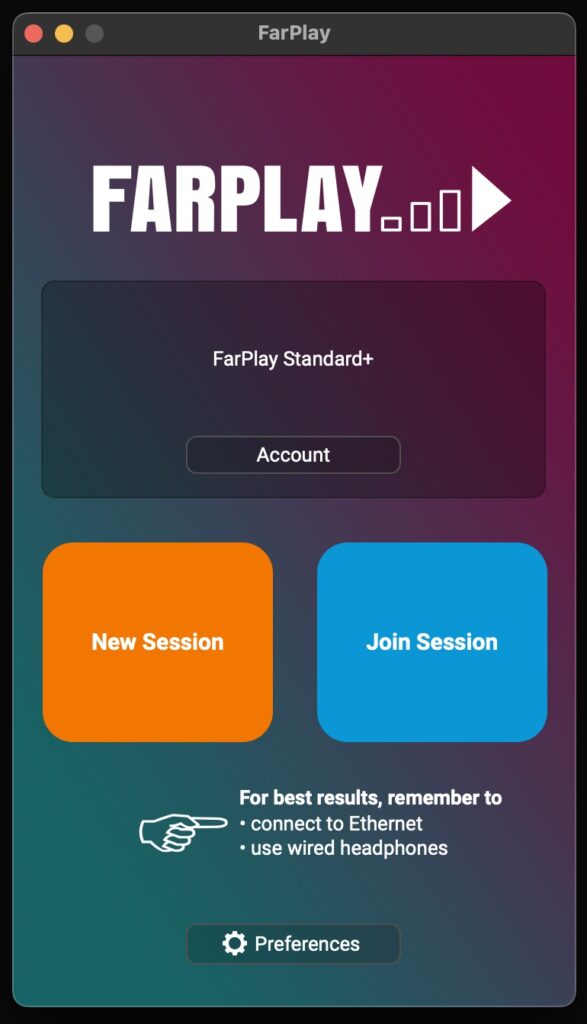
This version also features an improved design. On the welcome screen, we’ve added icons for ethernet and headphones, to remind users of the importance of these elements when using FarPlay:

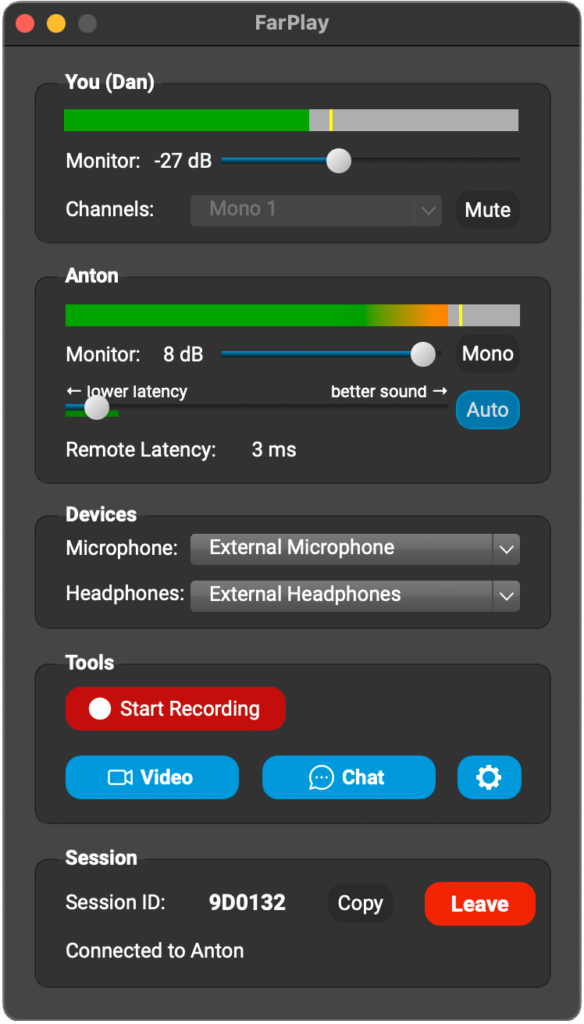
And we’ve reorganized the FarPlay session window, grouping buttons that open specialized FarPlay windows (Video, Chat and Preferences) together into one row:

We hope you enjoy using this version. If you have questions, please email us at support@farplay.io and we’ll be happy to help.

—Dan

FarPlay 1.0.7 Released!

Today, we’re introducing FarPlay 1.0.7, an important update. We’ve worked hard on this one — for many months, in fact — and we’re excited to put it in your hands.

Personal Meeting Rooms

This version adds Personal Meeting Rooms, allowing you to use a permanent, dedicated session ID for all your sessions. You still have the option, of course, of creating a one-time session ID if you prefer. This feature is particularly useful for teachers, who no longer have to send individual session IDs to their students: you can give them your Personal Meeting Room ID once and keep using it for as many sessions as you’d like.

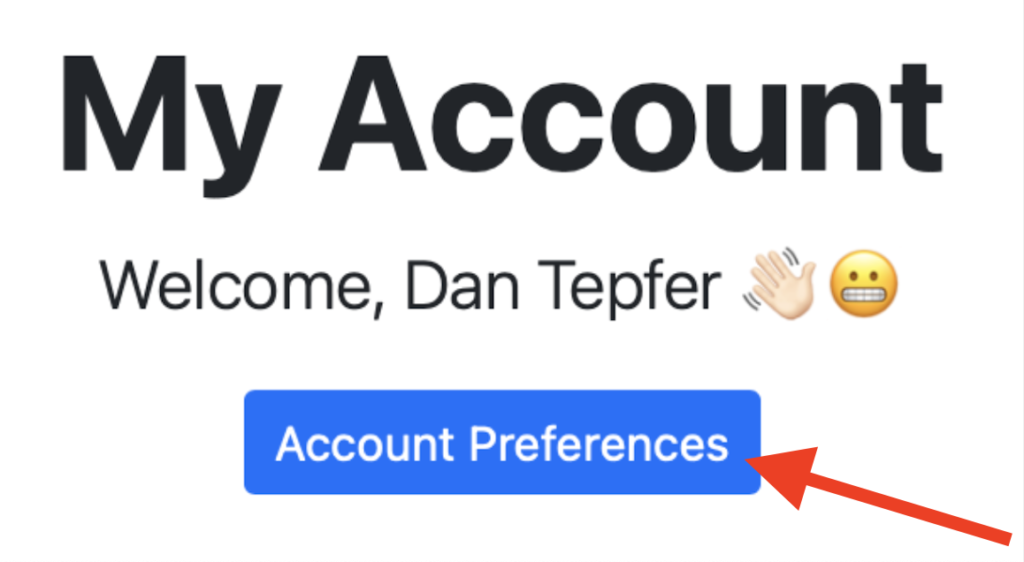
To use Personal Meeting Rooms, first go to farplay.io/myAccount, then click Account Preferences:

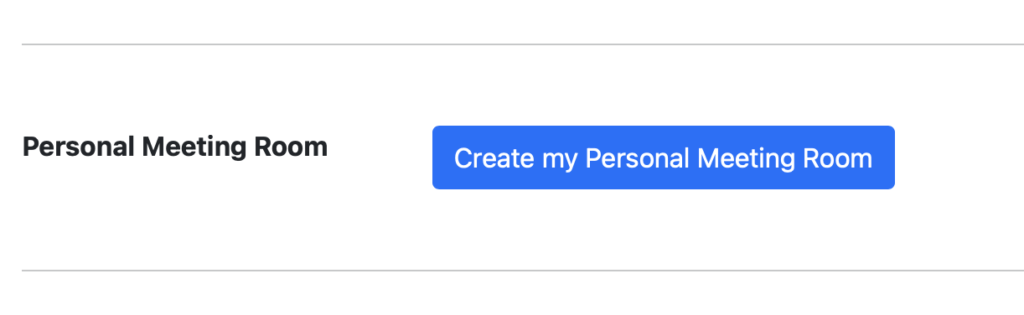
This will bring you to the Account Preferences page. If you’re subscribed to either Standard or Standard+, you’ll find a new option there:

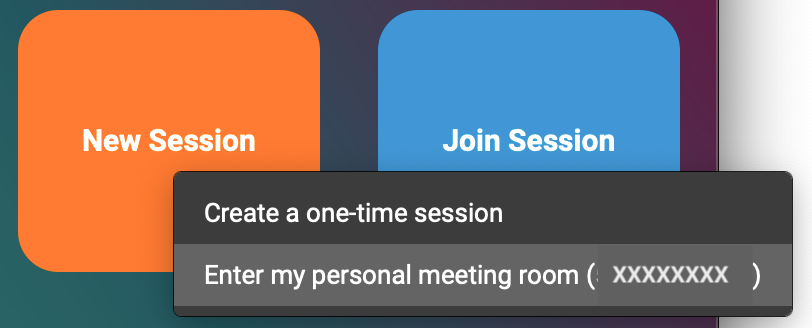
Click “Create my Personal Meeting Room”, and you’ll be given a session ID that is permanent and unique to you. If, for whatever reason, you wish to change it, you can simply delete it and create a new one. Once you’ve created a Personal Meeting Room, you’ll notice that a menu now appears when you click New Session in the FarPlay app, allowing you to choose between using your Personal Meeting Room or a one-time session ID:


Brand-new video engine

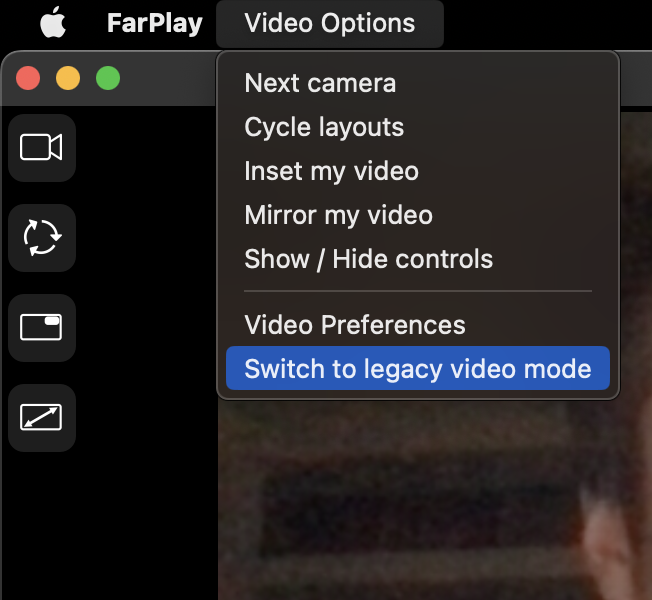
FarPlay 1.0.7 also introduces a complete re-implementation of our video engine, offering lower latency, better connectivity, and greatly improved performance, particularly for multi-user sessions. This is a behind-the-scenes upgrade that we believe will have a profound impact. The new video engine is used by default in this version, but if someone joins the session using an older version of FarPlay, the entire session is automatically transitioned to the legacy video engine. You can switch between the two engines manually, if you wish, in the Video Options menu:

We hope you enjoy this update, and please let us know at support@farplay.io if we can help in any way.

—Dan and the team

DownBeat Magazine gives FarPlay a rave review

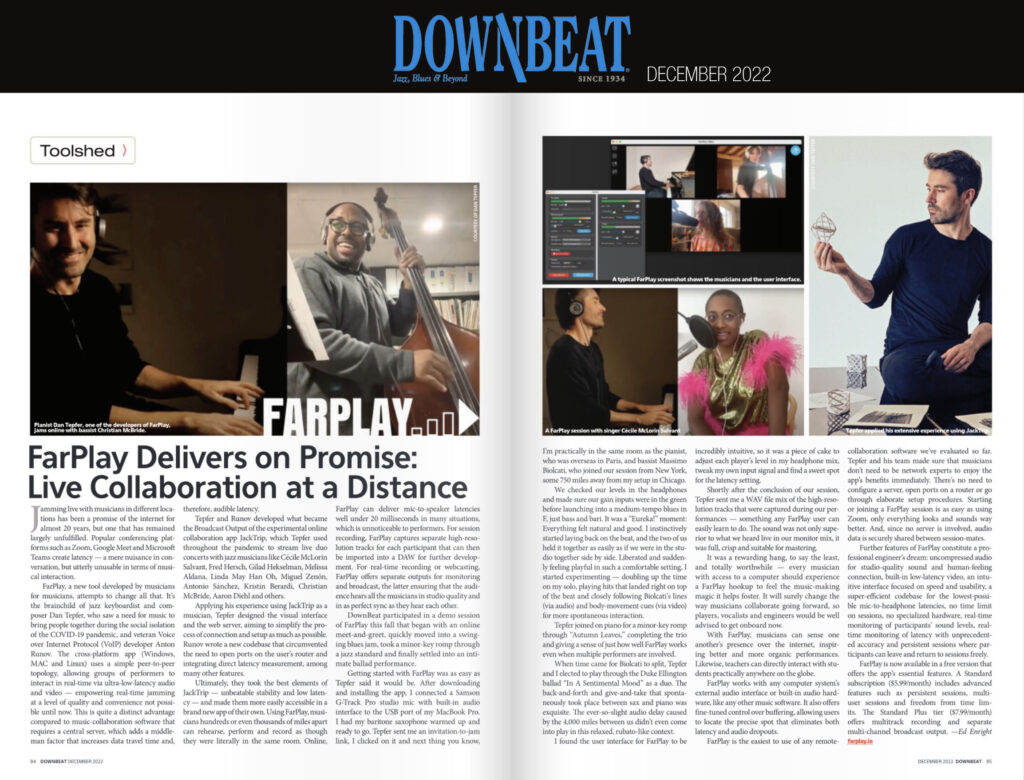
We’re proud to be featured in the December issue of the legendary jazz periodical DownBeat, in print since 1934. Writer Ed Enright, an accomplished saxophonist living in Chicago, tested FarPlay out in real-world circumstances by playing a session with bassist Massimo Biolcati in New York City and pianist Dan Tepfer in Paris, France. He gave FarPlay a rave review, remarking on how easy it was to get the session going, and how natural the musical interaction felt once they started playing together, despite the great distances involved. The complete text of the review follows.

Continue reading “DownBeat Magazine gives FarPlay a rave review”

FarPlay 1.0.5 released!

FarPlay 1.0.5 is now out, with an updated design and improved usability, including efficient audio sample rate handling. Upgrade now at farplay.io/download.

Ever since we started making FarPlay, one of our most persistent challenges has been how to manage different sample rates between users. FarPlay operates natively at 48 kHz, which enables us to offer studio-quality audio without excessive bandwidth use. However, in some situations, for example when a user had another audio app running on their machine at a different sample rate, FarPlay would be unable to set the sample rate of the audio device to 48 kHz. In the past, this could result in audio being audibly shifted — for example, if a user’s audio device was set to 44.1 kHz, their output would be transposed by about a half-step. Not ideal when trying to make music together!

In this new version, we solve this problem by integrating an extremely efficient audio resampler, which is able to convert the incoming audio to 48 kHz on the fly, with functionally no added latency.

We also have integrated FarPlay’s new look, including new icon, color scheme and logo.

We’re proud of this release and hope you’ll enjoy it. Happy New Year and happy music making!

FarPlay 1.0.4 out today

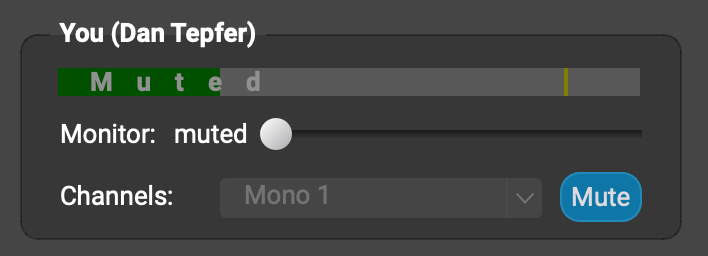
Version 1.0.4 features a lovely new MUTE button, allowing you to temporarily mute your own audio without having to change your audio device to “no audio”, as you did previously.

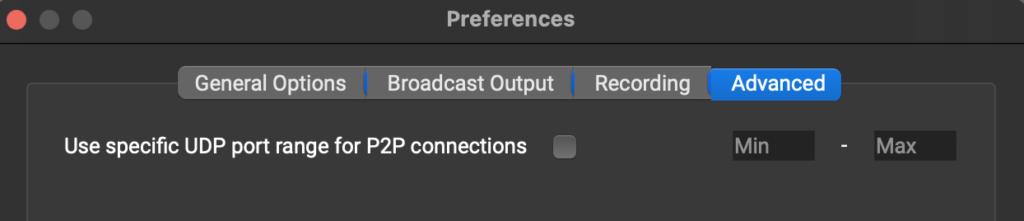
This version also adds an advanced port forwarding setting that allows users to choose specific ports for FarPlay to use for its communications. This is useful in situations where a user is behind a particularly restrictive firewall.

Lastly, this version fixes an issue that affected FarPlay video on Fedora Linux.

Enjoy!

FarPlay 1.0.3 out today

This intermediate update brings important improvements both in front of and behind the scenes:

  • Audio and video connectivity improvements
    We’ve increased the robustness of our peer-to-peer connection mechanism.
  • Customizable mix recording
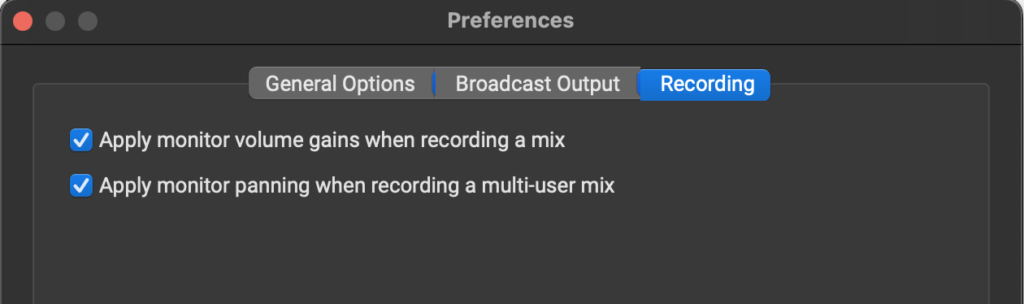
    When recording a mix of your session, every participant used to be recorded at the same nominal volume and panning. Now, you can use the levels and panning you’ve chosen for your monitoring in the recording. Just go to Preferences -> Recording to enable this option.
  • Custom video quality settings
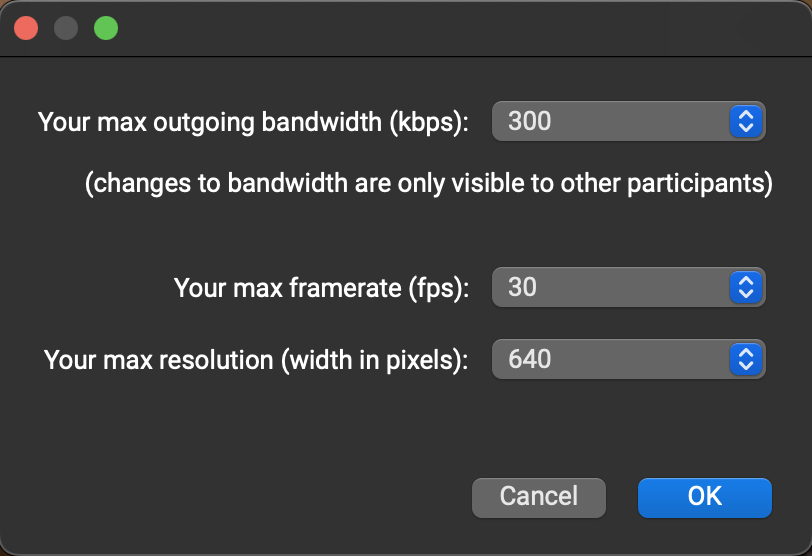
    FarPlay now allows you to set your video frame rate, resolution and outgoing bandwidth manually. First, Start Video, then go to the Video Options menu and select Video Preferences to access the settings.
  • Audio device switching improved
    FarPlay now detects when an audio device is disconnected and reacts appropriately, among other improvements.
  • Signed Windows installer
    No more warning messages when installing FarPlay on Windows! Our installer is now properly signed.

Announcing FarPlay 1.0, a major update

Today we announce FarPlay 1.0, our first non-beta release, featuring built-in video, multi-user sessions, multi-track recording, and multi-channel broadcast output. We’ve been working hard to make this major step forward, and we look forward to seeing what you make with it!

A complete list of new features follows:

  • Multi-user mode (requires subscription)
  • Built-in Video
  • Auto latency control
  • Improved connectivity
  • Multi-channel recording (requires subscription)
  • Windows installer (MSI)
  • Mac installer (DMG)
  • Multi-channel broadcast output (requires Standard+ subscription)
  • Linux deb and rpm packages
  • UI fixes
  • Audio recording now properly detects and reports file opening/writing errors
  • Sending audio latency fixed when using unsynced playback/recording devices
  • Ubuntu 22.04 compatibility fix

Download FarPlay 1.0.2 free here.

FarPlay marathon for International MakeMusicDay

For International Make Music Day, on June 21st, Dan Tepfer played live with musicians all over the world, from Australia to the US via Japan and Europe, using ultra-low-latency audio app FarPlay. An 11-hour musical marathon featuring Jo Lawry, Sophia Bacelar, Jelena Kuljic, Kristin Berardi, Michael Janisch, Sam Anning, Seigo Matsunaga, Paul Brody, Massimo Biolcati, Noah Preminger and others. Featuring brand-new FarPlay features such as multi-user sessions and multichannel Broadcast Output.